
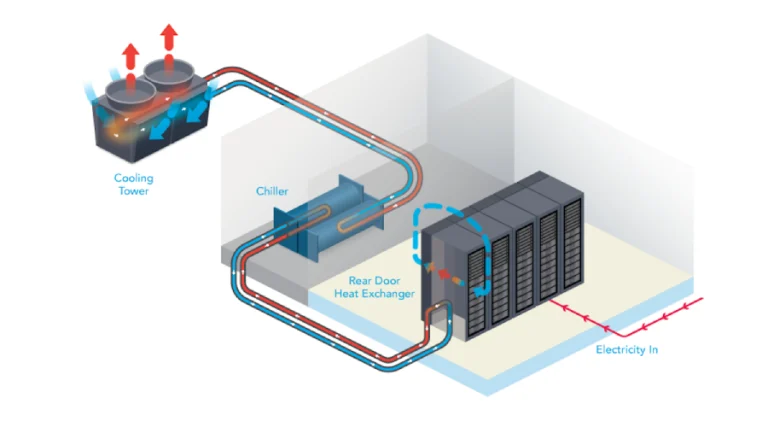
Determining the appropriate size of a cooling system requires understanding the amount of heat generated by the equipment located within the enclosed space, in addition to the heat that may come from other commonly encountered sources.
Measuring Heat Output
Common methods of expressing the heat output rate of equipment include BTU per hour, tons per day, or joules per second (where joules per second are equivalent to watts).
There’s no compelling reason why so many different units are used to express the same quantity, but each of these units may be used to express power or cooling capacity.
Using a combination of these units often causes unnecessary confusion for users and specifiers. Fortunately, there is a global trend among standard-setting organizations to consolidate all measurements of power and cooling capacity into a single standard unit: watts (W).
Over time, the legacy terms BTU and tons will be phased out.
Using watts as the universal standard simplifies tasks related to data center design, which will be discussed further below.
In many cases, specifications for power and cooling capacity are still frequently provided in outdated units such as BTU and tons. Therefore, the following conversion table is provided to assist readers:
| Initial Unit | Multiply By | Final unit |
| BTU per hour | 0.293 | Watts |
| Watts | 3.41 | BTU per hour |
| Tons | 3,517 | Watts |
| Watts | 0.000283 | Tons |
The power transmitted via data lines by computing or IT equipment is negligible. Therefore, power consumed from AC electricity is almost entirely converted into heat.
This fact allows the heat output of IT equipment (in watts) to be considered equal to their power input (also in watts).
There is no need to convert to BTU per hour, even if it’s provided in datasheets — the heat output simply equals the electrical input power.
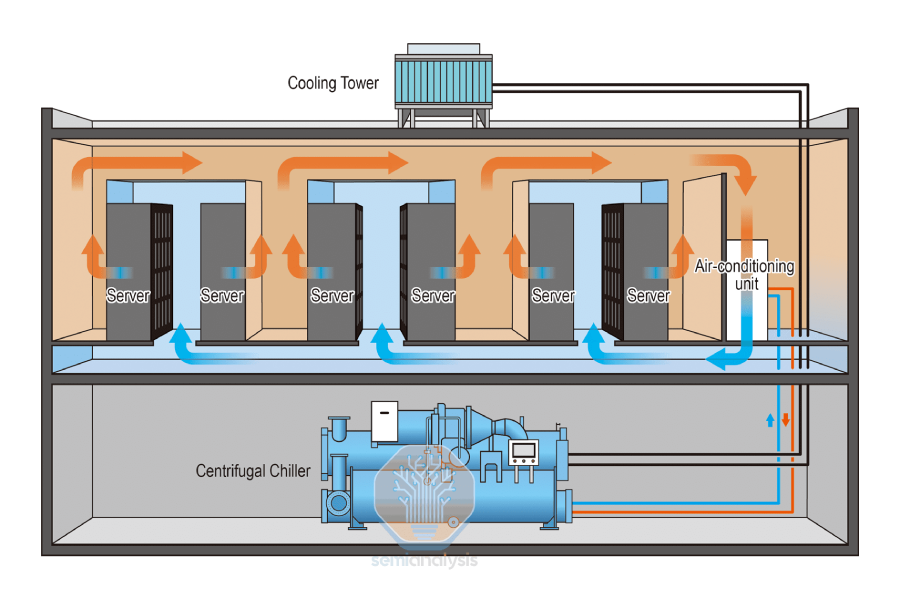
Determining the Total Heat Output of a System
The total heat output of a system equals the sum of the heat outputs of all its components.
The full system includes IT equipment plus other elements like UPS systems, power distribution units (PDUs), lighting, and people.
A form for quickly calculating the total heat load is provided in Table 2 below. Using this sheet, the total heat output of a data center can be quickly and confidently determined.
| Item | Required Information | Heat Output Calculation | Heat Output |
| IT Equipment | Total IT load in watts | Equal to total IT load in watts | _ _ _ _ _ _ watts |
| UPS with Battery | Rated power of UPS in watts | (0.4 × UPS rated power) + (0.1 × total IT load) | _ _ _ _ _ _ watts |
| Power distribution | Rated power of the distribution system in watts | (0.02 × rated power) + (0.1 × total IT load) | _ _ _ _ _ _ watts |
| Lighting | Floor area in ft² or m² | 1.33 × area (ft²), or 14.32 × area (m²) | _ _ _ _ _ _ watts |
| People | Maximum number of people in the data center | 100 × number of people | _ _ _ _ _ _ watts |
| Total | Sum of all the above | _ _ _ _ _ _ watts |
How to Use
- Finally, sum the individual outputs to get the total heat output.
- Obtain the required information from the “Required Information” column.
- Perform the calculations, and enter the results in the “Heat Output Calculation” column.
Other Heat Sources
The previous analysis ignores environmental heat sources such as sunlight through windows and heat conducted through exterior walls.
Many small data centers and network rooms lack exterior walls or windows, so this assumption usually does not introduce error.
However, in large data centers with walls or ceilings exposed to the outdoors, additional heat enters the space and must be removed by the cooling system.
If the data room is located inside an air-conditioned facility, these other sources may be ignored.
But if the data center has significant exposure to the outdoors, an HVAC consultant should assess the maximum thermal load, which should be added to the previously determined total system heat load.
Humidification
In addition to removing heat, a cooling system designed for a data center must also control humidity.
Ideally, once the desired humidity is achieved, the system should maintain a constant moisture level in the air without requiring continuous humidification.
Unfortunately, most air-cooling systems cause significant condensation of water vapor, resulting in a drop in humidity.
Therefore, supplemental humidification is often necessary to maintain the target humidity level.
Humidification is discussed in full detail in the article:
“Humidification Strategies for Data Centers and Network Rooms.”